

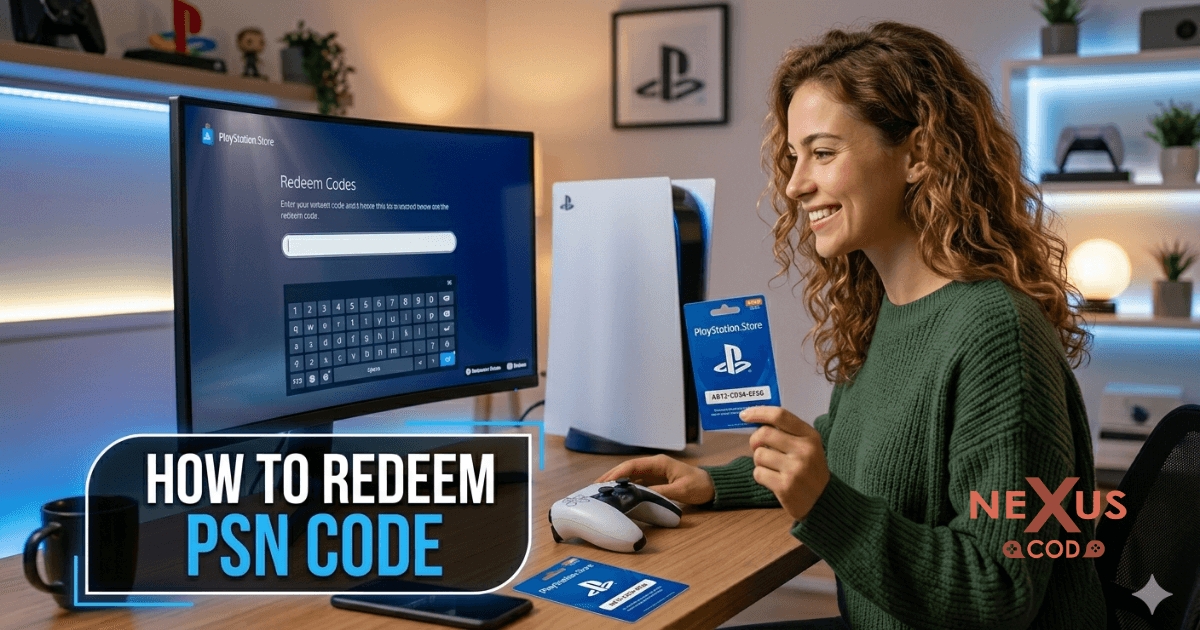
🎮 What is a PSN Redeem Code?
A PSN redeem code is a digital or physical voucher used to add funds or unlock content on your PlayStation account.
You can use a PSN redeem code to:
Buy games from PlayStation Store
Add wallet balance
Purchase subscriptions like PlayStation Plus
You can redeem a PlayStation Network key either on the website or directly via your console.
Website activation
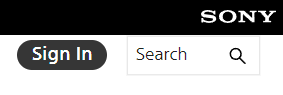
Log in to your PlayStation account by clicking the Sign In button at the top-right corner.
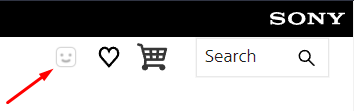
Tap on the small smiley icon to open the drop-down menu.
From the drop-down menu, you’ll find the Redeem Code section.
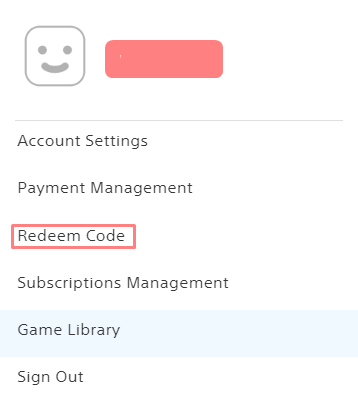
Once you’ve completed the steps above, you’ll reach the key redemption screen where you can easily enter your code. Be sure to double-check for any errors before submitting!
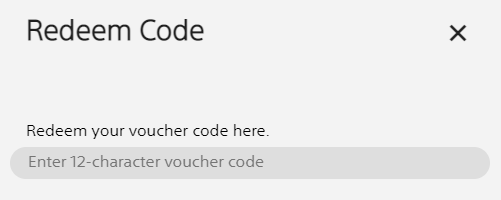
A confirmation screen will appear showing the product that is about to be activated.
Console activation (PlayStation 4)
Ensure you are signed in to your PlayStation Network account.
Navigate to the PlayStation Store.
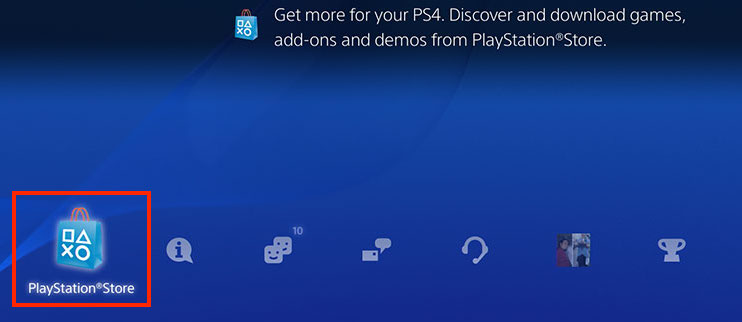
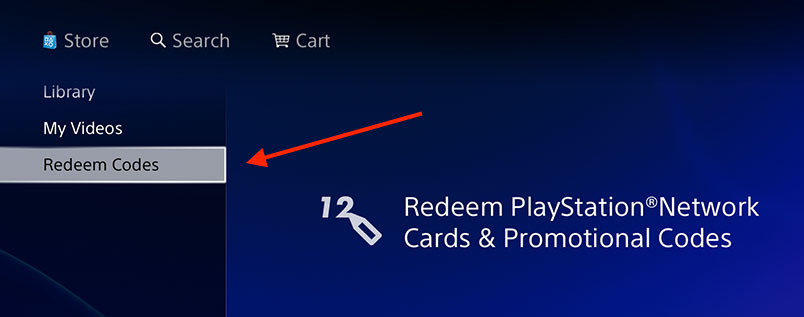
From the navigation bar, choose Redeem Codes.
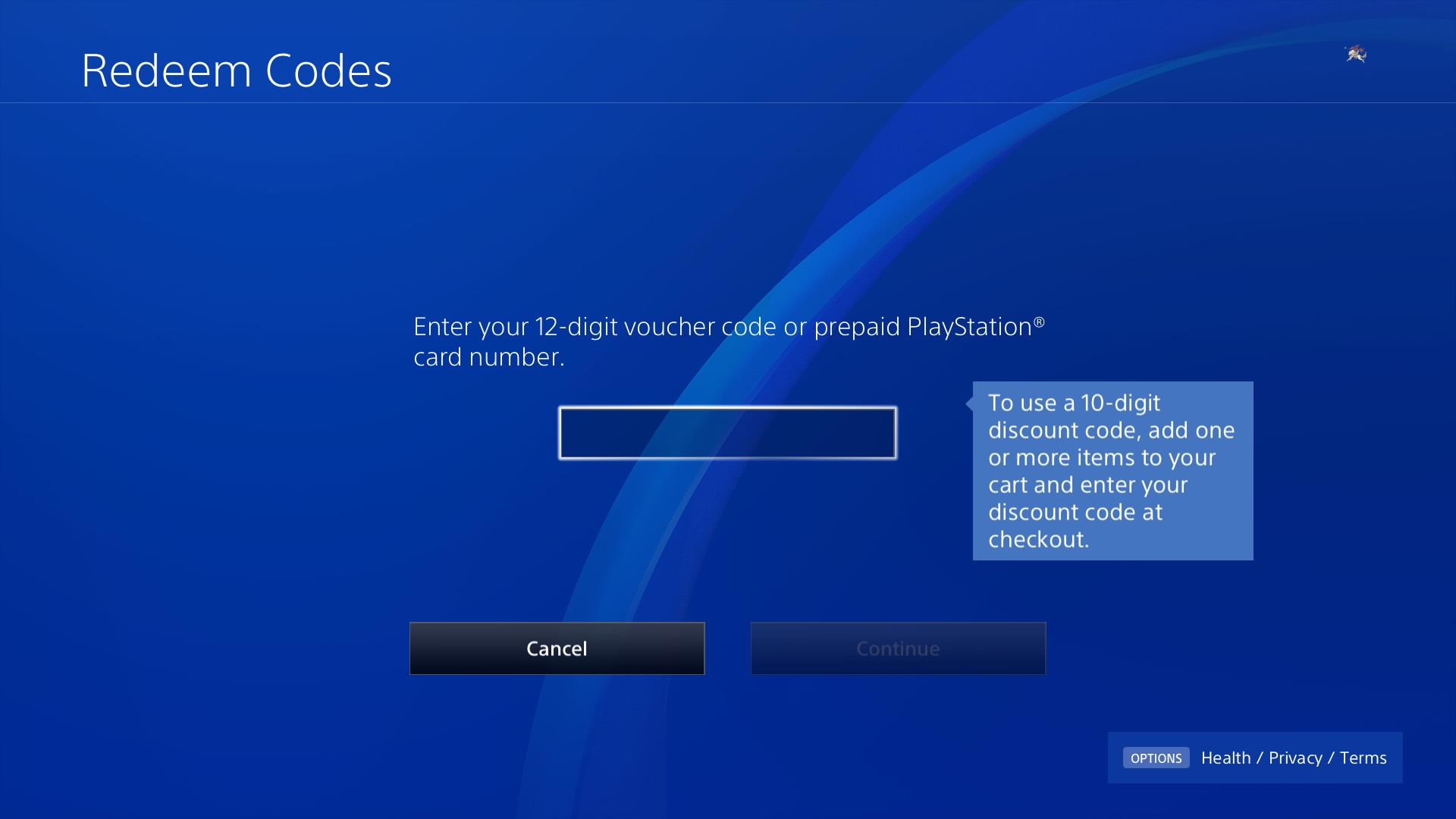
Type your code into the designated field.
Check out amazing PSN gift card on Nexuscod.
How to Fix PSN Code Errors
Double-check your code for typos
Confirm region compatibility
Log out and log back in
Try redeeming via another device
Contact PlayStation support if needed
FAQs
❓ How long does it take to redeem a PSN code?
➡️ Instantly after entering the code
❓ Can I use a PSN redeem code twice?
➡️ No, each code can only be used once
❓ Can I use PSN code in another country?
➡️ Only if the region matches your account
Pro Tip
Always buy region-matching codes to avoid errors and ensure your PSN redeem code works smoothly 👍